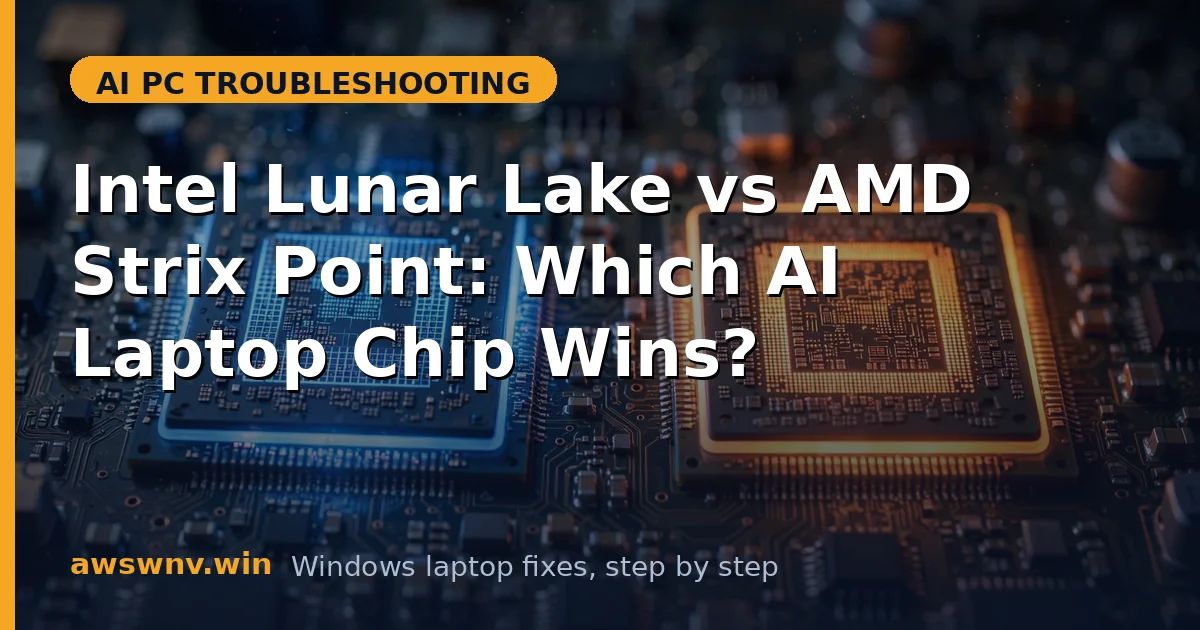
The AI laptop battle in 2026 is really Intel Lunar Lake versus AMD Strix Point (Ryzen AI 300). Both deliver 40+ TOPS NPUs, full Copilot+ support, and native x86 compatibility — which makes choosing between them genuinely difficult. Unlike the ARM transition, there is no compatibility cliff here; both run your software. The differences are subtler: efficiency curves, graphics, drivers, and platform quirks.
This guide compares the two platforms honestly for buyers and troubleshooters. Because both are x86, most “which is better” anxiety is misplaced — but each platform has its own characteristic issues, driver stories, and strengths worth knowing before you buy or when something breaks.
If you are cross-shopping Qualcomm too, see our Snapdragon X Plus vs X Elite guide, and for the TOPS question specifically, read 45 TOPS vs 40 TOPS NPU difference . Teams users should check Studio Effects not working in Teams .
Why this happens
- Different design philosophies: Lunar Lake prioritizes efficiency with on-package memory; Strix Point prioritizes balanced CPU/GPU performance.
- NPU marketing wars: 50 vs 45 TOPS sounds significant but both clear the Copilot+ bar comfortably.
- Driver ecosystems differ: Intel and AMD ship drivers on different cadences with different quirks.
- OEM tuning matters more: The same chip behaves differently across laptop makers’ power and thermal tuning.
- x86 compatibility equalizes: Both run all Windows software natively, removing the biggest differentiator.
- Review benchmark focus: Synthetic benchmarks exaggerate gaps that vanish in real office and creative work.
- Platform-specific bugs: Each has characteristic issues (Intel NPU driver churn, AMD chipset driver needs) that confuse buyers.
How to fix it
Work through these in order — diagnose first, then act.
Fix 1: Compare what actually differs
Strip away marketing and the practical differences are: Lunar Lake typically wins light-load battery life and has on-package memory (faster, but fixed capacity); Strix Point typically wins integrated graphics and multi-core value. NPU performance for actual Copilot+ features is effectively equal. Everything else is laptop-specific.
- For battery-first ultraportables, Lunar Lake laptops usually lead in video playback and idle efficiency tests.
- For light gaming or GPU-accelerated creative work without a discrete GPU, Strix Point’s Radeon 890M iGPU is stronger.
- For AI features specifically, both exceed 40 TOPS — do not pay extra for 50 vs 45.
- Check whether the Lunar Lake model’s on-package memory capacity (16GB or 32GB) meets your needs — it cannot be upgraded.
- For Strix Point, verify the laptop uses dual-channel RAM; single-channel cripples the iGPU.
Fix 2: Fix Intel Lunar Lake’s characteristic issues
Lunar Lake’s issues cluster around its newness: NPU driver churn as Intel refined the stack, on-package memory limitations, and early BIOS quirks. The fixes are driver-focused and well understood now.
- Keep the Intel NPU driver current through your laptop maker’s support site — not just Windows Update.
- If AI features break after a Windows update, reinstall the vendor’s NPU driver package.
- Accept the memory limit: if you need more than your on-package RAM, Lunar Lake was the wrong choice — plan accordingly.
- Update the BIOS; early Lunar Lake firmware had sleep and USB4 quirks.
- For persistent NPU trouble, our Intel AI Boost driver not installing guide walks through the full repair.
Fix 3: Fix AMD Strix Point’s characteristic issues
Strix Point’s issues are classic AMD platform fare: chipset driver importance, iGPU driver updates for gaming, and occasional USB4 quirks. AMD’s chipset driver package is more critical here than many owners realize.
- Install AMD’s chipset driver package from your laptop maker (or AMD) — it governs power management and USB.
- Keep the Radeon iGPU driver current through AMD’s Adrenalin or your maker’s validated package.
- If the NPU misbehaves, reinstall the AMD NPU/XDNA driver from your maker’s support site.
- Verify dual-channel memory in Task Manager or CPU-Z; single-channel halves iGPU bandwidth.
- Update the BIOS for USB4 and sleep fixes that came after launch.
Fix 4: Choose based on your workload
The “winner” depends entirely on what you do. Map your workload to the platform strength instead of chasing benchmark crowns — a 5% benchmark gap you never feel is worth nothing against a laptop you enjoy using daily.
- Office, travel, battery priority: Lunar Lake’s efficiency shines; pick the better laptop around it.
- Light gaming, photo editing, GPU-accelerated apps: Strix Point’s stronger iGPU matters.
- Development and VMs: both work; prioritize RAM capacity (Strix Point often offers 64GB options).
- Corporate fleets: Intel’s manageability tools and driver stability often win IT approval faster.
- Content creation with discrete GPU: the dGPU dominates, making the CPU platform nearly irrelevant.
Fix 5: Troubleshoot the laptop, not the chip
Most “Intel vs AMD” problems are actually laptop problems: bloatware, wrong power plans, outdated OEM drivers, or thermal limits. Before blaming the platform, run the universal laptop health checklist that fixes issues on both.
- Uninstall bloatware and trim startup programs on either platform.
- Set Balanced power mode and test; avoid power-saver during troubleshooting.
- Update BIOS, chipset, graphics, and NPU drivers from your laptop maker.
- Check Task Manager for stuck processes consuming CPU.
- Test thermals under load; repaste or service only if temperatures are genuinely abnormal.
Fix 6: Future-proof your choice
Both platforms will serve for years, but consider longevity factors: memory ceilings, repairability, and platform trajectory. A slightly slower chip in a laptop with 32GB RAM and good cooling outlasts a faster chip starved of memory.
- Prefer 32GB RAM for a 4-5 year lifespan; 16GB is the realistic minimum in 2026.
- Check SSD upgradability — many AI laptops solder storage, making the initial capacity permanent.
- Consider USB4/Thunderbolt support for future docking and eGPU flexibility.
- Look at the maker’s driver support history; some brands abandon models faster than others.
- Do not overpay for TOPS headroom — 40+ is the requirement, and software will target that baseline for years.
Closing
Intel Lunar Lake vs AMD Strix Point is a contest of strengths, not a knockout: Lunar Lake for efficiency, Strix Point for graphics and value, both fully capable AI platforms with native x86 compatibility. Choose by workload and by laptop quality, keep platform drivers current, and troubleshoot the machine in front of you — not the logo on the chip.